
安装
环境要求
QuPath(步骤 1–3)
- QuPath 0.6.0+
- 已安装 Cellpose 扩展 — 在
Edit → Preferences → Cellpose/Omnipose中配置 Cellpose 和 Cellpose SAM 的 Python 路径
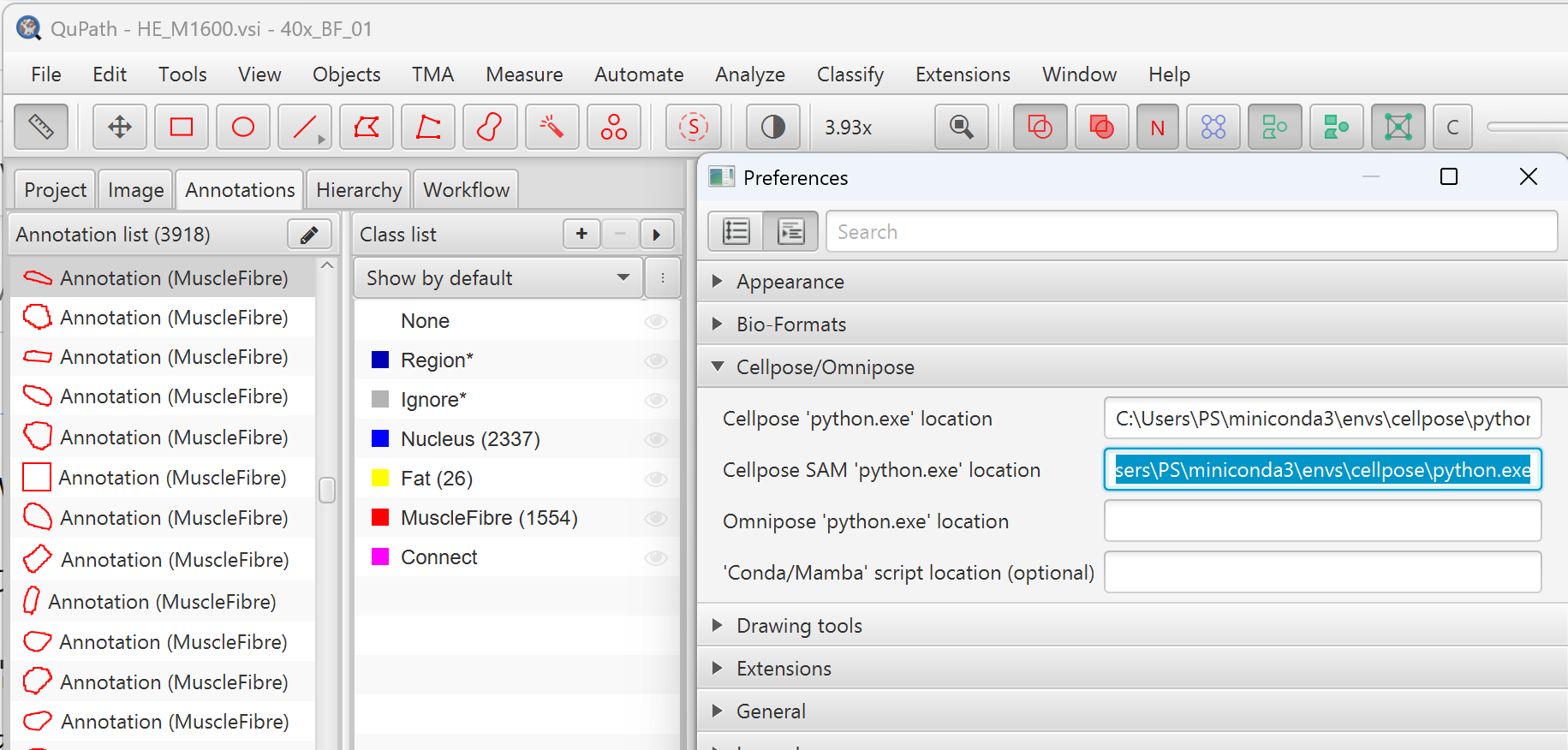
- 推荐使用 GPU 加速 Cellpose 分割
- 预训练的像素分类器
"Fat in muscle"以及所有 Groovy 脚本和 Python 脚本可从 GitHub 仓库下载
Python(步骤 4)
- Python 3.9+
- 推荐使用 Conda 环境
下载
1. 克隆或下载
MyoPath/
├── MyoPath1_roi.groovy
├── MyoPath2_segment.groovy
├── MyoPath3_export.groovy
├── MyoPath4_analysis.py
├── project.qpproj                   # QuPath 项目文件
├── classifiers/
│   ├── classes.json
│   └── pixel_classifiers/
│       ├── Fat in muscle.json       # 必需的像素分类器
│       └── ...                      # 其他可选分类器
├── data/                            # QuPath 切片条目
├── exports/                         # 步骤 3 输出(按样本)
├── results/                         # 步骤 4 汇总输出
└── src/
    ├── data_loader.py
    ├── coordinate_processor.py
    ├── tissue_analyzer.py
    ├── visualizer.py
└── dystrophy_analyzer.py像素分类器
classifiers/pixel_classifiers/ 目录是 QuPath 项目的一部分,包含 JSON 格式的预训练像素分类器。流水线要求一个名为 Fat in muscle 的分类器用于步骤 2 的脂肪浸润检测。如果您正在搭建新的 QuPath 项目,需自行训练该分类器(参见环境要求)或从已有项目中复制。
2. 配置 Python 环境
bash
conda create -n myopath python=3.10 -y
conda activate myopath

pip install tiatoolbox numpy scipy matplotlib shapely pandas3. 验证安装
bash
python -c "import tiatoolbox, numpy, scipy, matplotlib, shapely, pandas; print('All dependencies OK')"常见问题
步骤 2 中 Cellpose 报 TileFile null 错误
降采样因子过小,导致 tile 尺寸过大。默认 downsample: 10.0 通常可用。若仍出现此错误,请增大该值(如 12.0 或 15.0)。
未检测到肌纤维
- 确保 ROI 覆盖实际肌肉组织
- 检查 Cellpose 及其 Python 环境是否正确安装
- 尝试降低
cellprobThreshold(如从 0 降至 −2)
Python ModuleNotFoundError
确保从 MyoPath/ 目录运行,或使用 --input 指定导出路径。
Conda 报 An unexpected error has occurred
An unexpected error has occurred. Conda has prepared the above report.这是 conda 25.7.0 在 Windows GBK 编码下的已知 bug,不影响结果生成——输出文件已正确产生。可以安全忽略,或通过以下方式抑制:
bash
CONDA_NO_PLUGINS=true conda run -n myopath python MyoPath4_analysis.py --all批处理时内存不足
减少 --cores 以限制并行进程数(每个样本约需 2–4 GB 内存)。